
You’ll want to test your tech, camera, and lighting at least a day ahead, and don’t forget to dress fully professional—even below the frame. Position your webcam at eye level using a stack of books if needed, and face a window or set up a lamp at a 45-degree angle so your face stays clear, not shadowy. Practice your answers out loud, record yourself, and watch for filler words or slouching. Keep a phone nearby as backup audio, stay calm if glitches hit, and remember—small adjustments now can transform how confidently you show up on screen. Want to nail every detail?
TLDR
- Test your tech beforehand: stable internet (3+ Mbps), updated Zoom, and backup hotspot ready.
- Position camera at eye level with clean background and proper lighting facing you.
- Dress professionally head-to-toe in solid, camera-friendly colors one level above company norm.
- Practice concise STAR stories and record yourself to refine eye contact and delivery.
- Pause before answering, maintain lens eye contact, and recover calmly from any glitches.
Test Your Tech 24 Hours Before the Interview
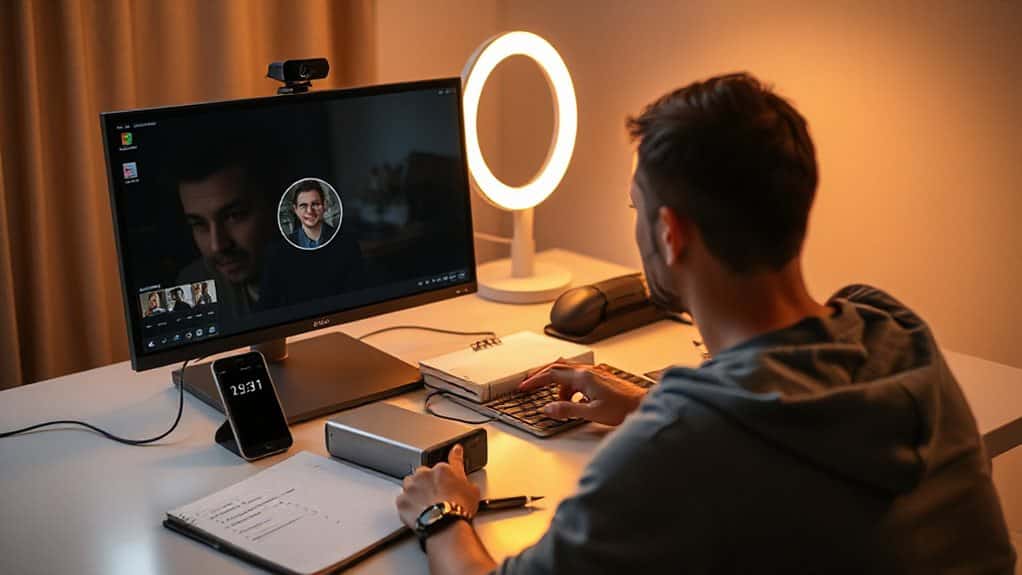
Why leave your interview success to chance when you can take control of your technology the day before? Run a speed test to confirm you have at least 3 Mbps, switch to Ethernet if your Wi-Fi falters, and position your device near the router. Test your camera, microphone, and screen sharing, then close unnecessary applications and update Zoom fully. Set up a backup mobile hotspot as a failsafe connection, ensuring you can seamlessly continue the interview even if your primary internet fails unexpectedly. Employers often verify candidates’ backgrounds, so be prepared to discuss your actual skills and experience honestly rather than overstating them.
Dress Professionally for Zoom: Head to Toe
Confidence radiates through the screen when you’ve dressed with intention, and in a Zoom interview, that polish starts with understanding exactly what “professional” means for your target company. Research their dress code, then elevate one level higher. Will you choose navy or charcoal? Both project trustworthiness on camera. Press your shirt, test colors under your lighting, and dress completely—yes, pants too—so you’re ready for any surprise movement. Your careful preparation shows respect for others’ time. Make sure your clothes are clean and properly ironed to maintain a tidy, professional appearance.
Position Your Camera at Eye Level
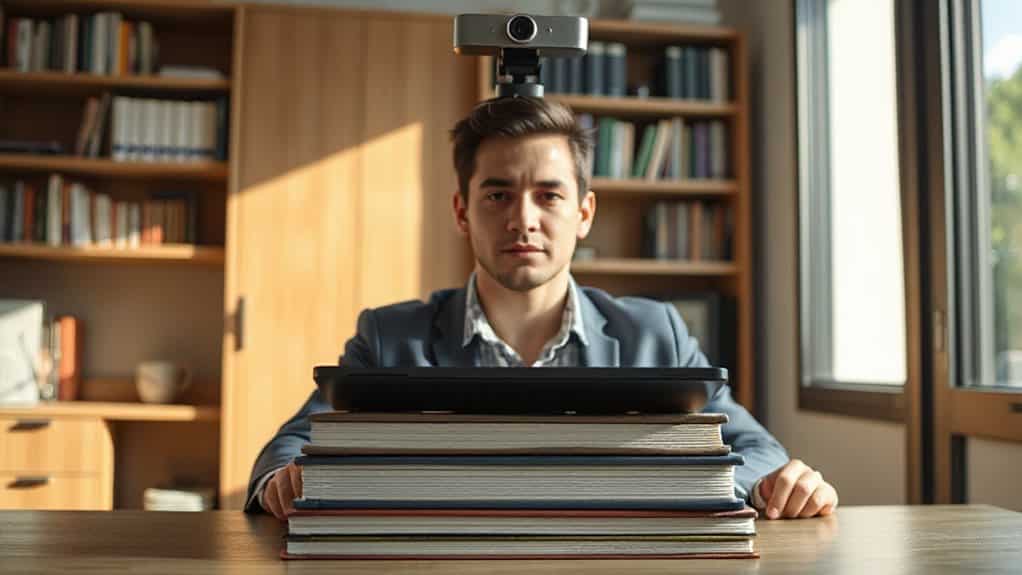
Where exactly does your camera sit right now—below your chin, staring up at you, or perhaps perched too high, forcing you to look down?
Position your lens at eye level, aligning it with the top third of your screen, so you engage your interviewer with natural, confident connection.
Stack books beneath your laptop or use a stand to raise your device, then tilt the screen to center your head and shoulders with just an inch of headroom above.
Remember that if you decide to leave a role early, you can legally resign during probation and are still entitled to accrued wages when you depart.
Design a Background That Won’t Distract
You’ll want to position yourself against a plain wall or neutral curtain, since 97% of recruiters prefer professional, distraction-free settings that keep their attention locked on you rather than your surroundings. While simple framed diplomas or subtle art won’t hurt, the real game-changer is your lighting setup—uniform, natural, or front-facing LED light eliminates harsh shadows and ensures you appear crisp and engaged. Have you tested your background on camera beforehand to catch any flickering, halos, or awkward color clashes with your outfit? Practice pausing and managing calm during your Zoom interview to maintain composure and clarity.
Plain Backdrops Work
How often do you think about what’s behind you when you’re prepping for a video interview? You might be surprised how much a plain wall can help you shine. When you choose a simple, neutral backdrop, you keep the focus where it belongs—on your skills and your genuine desire to serve others. Clean backgrounds signal competence and organization, showing interviewers you’re detail-oriented without saying a word.
You’ll want to avoid busy patterns or cluttered spaces that pull attention away from your message. Instead, position yourself against a solid, muted color that contrasts with your hair and clothing. This intentional choice ensures you remain visible and professional, letting your qualifications and compassionate nature take center stage where they belong.
Lighting Matters Most
You’ve got your backdrop sorted, but now let’s talk about what really makes or breaks your on-camera presence: lighting. Position your key light 3-4 feet away at a 45-degree angle, 1-2 feet above your eyeline, and add a fill light on the opposite side to soften shadows. Face your largest window to avoid silhouettes, or use a ring light behind your webcam. Don’t you want interviewers focusing on your qualifications, not squinting at a dark, muddy image? Proper lighting helps you serve others by showing up clearly, professionally, and ready to connect.
Practice Answers Zoom Interviewers Always Ask

Although walking into a Zoom interview unprepared might feel tempting when you’re busy, taking time to practice your answers beforehand will convert your confidence and performance when it matters most.
You’ll face “Tell me about yourself,” “What are your strengths,” and behavioral challenges requiring STAR-method stories.
Record yourself, refine your responses, and build a story toolbox so you can serve employers with clarity and purpose when they need it most.
A well-written personal statement can be decisive between acceptance and rejection, so invest time to craft an authentic personal statement that showcases your unique experiences and goals.
Use Body Language That Reads Clearly on Video
Why does your body language matter so much when the interviewer can’t shake your hand or read your full presence through a screen?
You’re still communicating 93% of your message nonverbally, so sit up straight, face the camera directly, and look into the lens to simulate eye contact.
Lean slightly forward to show you’re engaged, smile genuinely, and use open hand gestures between your waist and chest. You’ll convey confidence, competence, and credibility that helps you connect with others through the screen.
Speak Clearly and Pause to Avoid Interrupting

While your body language sets the visual tone, your voice carries the actual conversation forward, and that’s where many Zoom interviews stumble. You need to speak clearly, enunciating fully and slowing your pace slightly, don’t you? Test your microphone beforehand, maintain consistent volume, and position it properly.
Wait one to two seconds after questions before responding, and pause between thoughts so your message lands without interruption.
Research the Company for Video Interview Context
How exactly do you stand out when 81% of recruiters now use video interviews, and 93% of companies plan to keep this format long-term? You research deeply. Learn their values, goals, and peer interview practices, since 61% of companies use these to attract talent. Understand their global hiring needs and efficiency priorities, then tailor your responses to show you’re ready to serve their mission through this lasting format.
Record a Practice Run and Review Your Playback
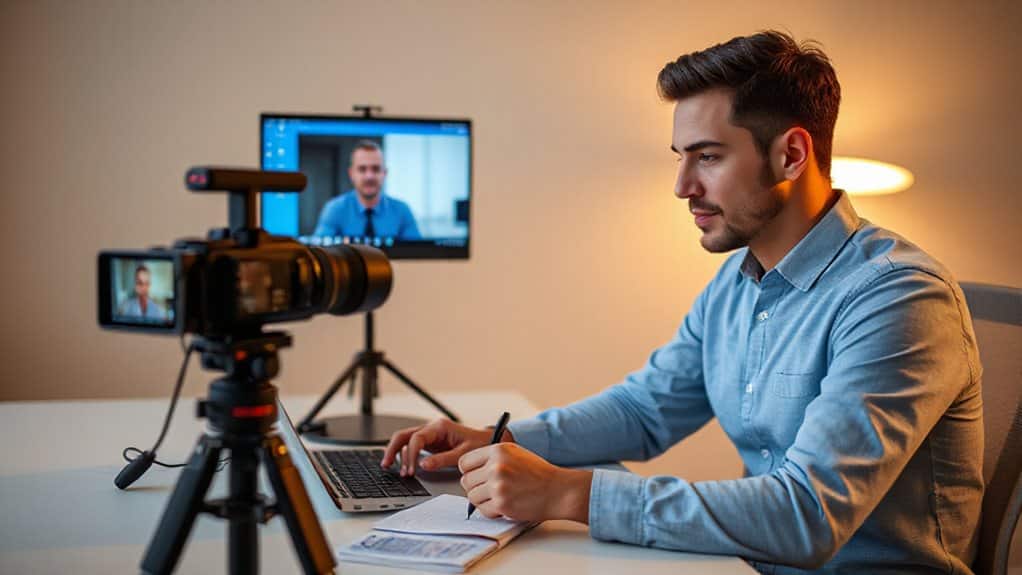
Before your actual interview, you’ll want to record a full practice run that mirrors real conditions, including the same Zoom settings, lighting setup, and time slot you’d actually use, so you can spot technical glitches like poor audio or awkward camera angles before they matter.
When you play it back, pay close attention to how you’re delivering your answers—are you maintaining eye contact with the camera, keeping your pace between 120 and 150 words per minute, and structuring responses with the STAR method without rambling?
This review lets you catch habits you’d never notice otherwise, like filler words or nervous expressions, and fix them through 3-5 iterations until your performance feels natural and confident.
Technical Performance Check
Every single technical element of your Zoom interview can make or break that essential first impression, so you’ll want to take full control of how you come across on screen. Record a practice run using Zoom Clips, then review your playback carefully—does your lighting flatter you? Is your camera positioned at eye level? Can you hear yourself clearly without distortion? Check your background, test your microphone placement, and verify your internet connection. You’ll spot nervous gestures, adjust your posture, and refine your speaking pace. Fix these details now, and you’ll serve your future employer with confidence, professionalism, and polished presence when it matters most.
Delivery Style Audit
What separates a forgettable candidate from a memorable one once you’ve nailed your technical setup? It’s your delivery style, and you’ll discover its power through a practice recording. Record yourself answering typical interview questions, then study your playback with honest eyes. Are you maintaining warm, steady eye contact with the camera, or do your eyes drift downward? Does your voice convey genuine enthusiasm for serving others, or do you sound rushed and uncertain? Notice your posture—do you lean in with engaged energy, or slouch with diminished presence? Check your pacing: are you allowing thoughtful pauses, or filling space with “um” and “uh”?
Your playback reveals habits you’d never catch otherwise, giving you the chance to refine every gesture and tone before you serve your future team.
Response Timing Review
How often do you finish an answer only to realize you’ve rambled for two minutes without making your point? Record your practice sessions, then review them with intention. You’ll spot filler words, awkward pauses, and rushed starts that undermine your message. Notice how waiting 2-3 seconds before answering creates space for clarity. Trim your responses to under 60 seconds, and you’ll serve interviewers with respect for their time while showcasing your best self.
Recover When Tech Fails Mid-Interview

Why let a frozen screen or dropped audio derail your shot at a great job when a few smart moves can keep you in control?
You’ll acknowledge glitches calmly, switch to phone audio if needed, and use chat when sound fails.
Keep your energy high, maintain eye contact after recovery, and summarize where you left off to show employers you handle pressure with grace.
And Finally
You’ve got everything you need to ace your Zoom interview, so take a deep breath and trust your preparation. When you test your tech, dress professionally, and practice your answers, you’re showing employers you take opportunities seriously. Will everything go perfectly? Probably not, but that’s okay—you now know how to recover gracefully from tech hiccups. Go ahead, open that Zoom link with confidence, and let your qualifications shine through the screen.

Emma Anderson is a professional executive resume and creative writer. She founded JobFrog Resumes in 2015 after leaving full-time work to raise her first child, combining her two passions: working from home with her family, and helping people put their best selves forward on paper. Emma has personally written every JobFrog resume since — no outsourcing, no templates — and stands behind the Jobfrog Rewrite Guarantee.