
Treat your one-way video interview like a live conversation, not a screen recording, and you’ll already stand out from candidates who abandon the process. You’ll want to test your microphone and camera beforehand, position a light at a 45-degree angle above your eyes, and dress professionally from head to toe. Speak directly to the camera lens for real eye contact, keep responses under two minutes using the STAR method, and project genuine energy through your voice and posture. Are you wondering how to handle retakes or what specific disqualifiers catch recruiters’ eyes? The deeper strategies ahead will show you exactly how to turn this mechanical format into your advantage.
TLDR
- Test all technology beforehand to prevent glitches that derail your interview.
- Position lighting at 45 degrees above eye level for clear visibility.
- Speak directly to the camera lens to simulate genuine eye contact.
- Structure answers using STAR format within strict two-minute time limits.
- Dress fully professional and declutter your background to signal respect.
Why Candidates Abandon One-Way Video Interviews (And Why You Shouldn’t)

Why do so many promising candidates walk away from one-way video interviews before they even hit record? You might feel the process seems cold and mechanical, especially when you’re staring at a screen instead of connecting with a real person. Time limits stress you out, technology worries pile up, and silence after submission makes you feel forgotten. AI-based video interviewing has risen significantly in U.S. recruiting practices, from 48% adoption in 2020 to 58% in 2021, reflecting employers’ push to accelerate their hiring processes. Employers also expect candidates to polish professional documents and present measurable achievements even in video formats. Don’t let these hurdles stop you from showing your value.
Test Your Tech Before You Hit Record
Before you start recording, you’ll want to make sure your equipment actually works, your face is visible and well-lit, and your internet won’t drop mid-sentence—so how do you get all of that right?
First, test your microphone and camera using your platform’s built-in checks or a site like onlinemictest.com, since muffled audio or a broken camera can derail your entire interview before it begins.
Then, find a spot with soft, natural light facing you, not behind you, and close any extra programs to free up bandwidth, because nothing’s worse than losing a great answer to a frozen screen.
Also, review the company’s mission statement and basics beforehand so your answers and examples align with their goals and culture.
Check Your Equipment
Technical gremlins love to strike at the worst possible moment, don’t they? You need to check your equipment thoroughly before recording. Verify your webcam centers your face clearly, and test your microphone picks up your voice without distortion. Confirm your internet connection is stable, preferably wired, and charge all batteries fully. Clean your camera lens, close background applications, and run a complete trial recording to catch any issues early.
Optimize Your Lighting
How often have you watched a video where someone’s face disappears into shadows or gets washed out by harsh glare? Position your key light at a 45-degree angle from your face, raised slightly above eye level, so you create soft, flattering shadows that add depth without distraction.
If you’re near a window, face toward that natural light first, then add a simple desk lamp with a piece of white paper taped over it for gentle diffusion.
Test your setup on camera before recording, checking that your skin tones look natural and your background stays visible, so your interviewers can focus on your words instead of struggling to see you clearly.
Secure Your Connection
Why gamble with a frozen screen or garbled audio when you’ve got one shot to make your impression count? Test your microphone for clarity, check your webcam for visibility, and verify your internet connection’s stability before recording.
Use wired connections when possible, close unnecessary programs, and complete all platform technical checks. Your thorough preparation ensures your message reaches employers without disruption, serving your future well.
Set Up Your Video Interview Space and Lighting
Where exactly should you position yourself when that camera starts recording, and what kind of lighting will make you look your absolute best? Place your main light at a 45-degree angle to your face, ensuring it’s bright with a cooler 4500K-5600K temperature for crisp, professional results. You’ll want a softer fill light to reduce harsh shadows, and if natural light from a northern window is available, use that ambient glow to your advantage. Calibrate your camera’s white balance to match your light source, and keep your background evenly lit without distractions. Are you ready to shine? Be prepared to discuss your self-awareness during interviews, showing honest reflection and steps you’ve taken to improve.
Dress Professionally: Yes, Even for Video
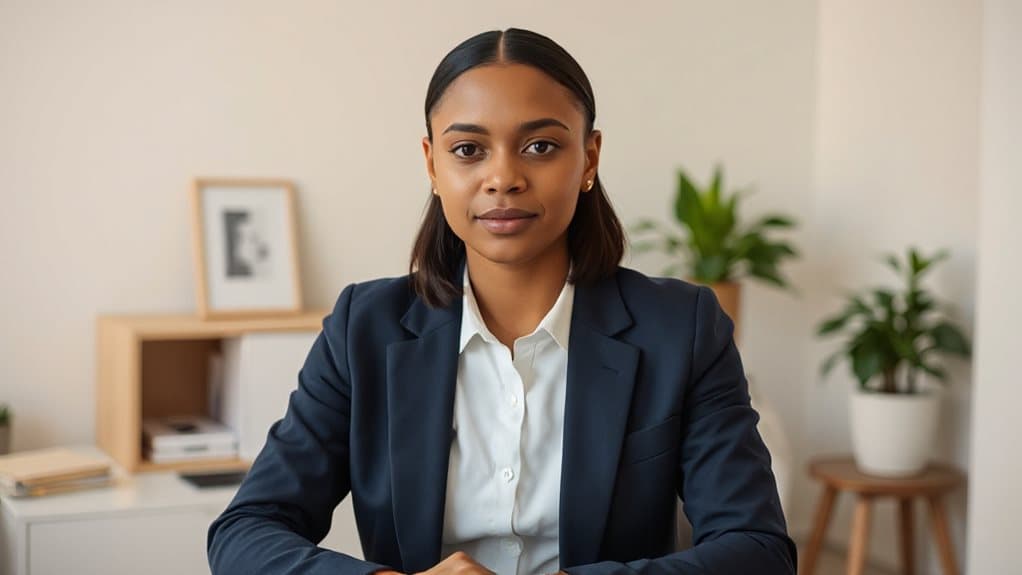
You might think you can skip the suit since only your shoulders show on screen, but interviewers still notice when you look polished—and they definitely notice when you don’t. Studies show that 51% of employers judge candidates based on attire, while 75% prefer applicants who dress more formally, so your clothing choices send a clear message about your respect for the opportunity.
Dressing professionally from head to toe, even in a one-way video format, enhances your confidence and helps you mentally shift into interview mode, which translates directly into stronger performance when you record your responses.
Choose clothes that fit well and are clean and ironed to ensure you present a well-groomed appearance.
Visual First Impressions
How often have you heard someone say, “It’s just a video interview, so I can dress casually from the waist down”? You know better, don’t you? Dressing fully—head to toe—keeps your confidence sharp and prevents embarrassing surprises if you stand or shift unexpectedly. Choose neutral solids like light blue or soft gray, add a blazer or structured sweater, and you’ll project respect, readiness, and genuine care for your interviewer’s time.
Professional Attire Benefits
Why stop at a dress shirt when you’re sitting on camera? Dressing fully—pants, shoes, and all—shifts your mindset into professional mode, helping you serve interviewers with genuine confidence. Your complete outfit signals respect and care, proving you honor their time. When you look sharp from head to toe, you communicate readiness to contribute meaningfully to their team.
Speak to the Camera Lens (Not Your Reflection)
Where exactly should your eyes go when you’re staring at a screen that shows your own face staring back? Look directly at the camera lens, not your reflection, since this creates the eye contact that builds genuine connection with hiring managers.
Position your camera at eye level, two to three feet away, and practice speaking steadily while maintaining that lens focus.
You’ll demonstrate authenticity and engagement that advances your candidacy.
Back up your presentation with measurable results from past roles to clearly demonstrate the value you bring.
Project Energy Through Tone and Body Language

You can’t rely on facial expressions alone to show you’re the right candidate, so you’ll want to sit up straight, keep your shoulders back, and lean slightly toward the camera to signal confidence and genuine interest.
Have you considered how your voice might sound through a screen, where energy often fades?
Speak slowly enough to be clear, vary your pitch to avoid sounding flat, and let your enthusiasm show through both your words and your open, relaxed gestures.
Maintain Confident Posture
How exactly do you project confidence through a screen when there’s no one sitting across from you? Sit straight with your shoulders back, keeping your chin slightly raised so your face fills the top third of the frame. You’ll signal energy and professionalism, avoiding slouching that suggests disinterest. Remember, your posture shapes 55% of how interviewers perceive your communication, so own your space with authentic, upright presence.
Modulate Vocal Variety
Once you’ve settled into that confident, upright posture, it’s time to think about what you’re actually saying and how you’re saying it—because your body language won’t carry the full weight of your message through a screen.
Vary your volume, pitch, and pace to keep reviewers engaged, and pair gestures with vocal emphasis to project authentic energy that serves your audience well.
Express Genuine Enthusiasm
Genuine enthusiasm often separates memorable candidates from forgettable ones, and you’ll need to project that energy deliberately through every channel the camera can capture. Smile naturally to convey warmth, and lean slightly toward your screen to show you’re truly engaged. Use open hand gestures when emphasizing points, and nod occasionally while maintaining eye contact with the camera. Doesn’t this combination of body language help you connect with your future team?
Structure Answers Using the STAR Method

Why do so many candidates struggle to keep their interview answers focused and memorable? You can solve this by using the STAR method, which gives your responses clear structure. Start with a brief situation, state your specific task, then spend most of your time detailing actions you personally took. Finish with measurable results that show your impact. This approach helps you serve interviewers by delivering organized, engaging evidence of your capabilities.
Keep Every Response Under the Time Limit
How often have you found yourself rambling when you’re nervous, only to realize you’ve lost your listener’s attention? Most platforms enforce strict two-minute caps per question, automatically cutting off exceeded responses. You’ll want to rehearse answers staying within 1-2 minute limits, ensuring concise, focused responses that respect recruiters’ time. Practice with timed recordings, since poor time management leads to incomplete submissions and missed opportunities to serve others effectively.
Avoid the Mistakes That Disqualify Candidates Immediately

You’ve practiced keeping your responses tight and within time limits, but even the most polished answers won’t save you if basic errors knock you out before anyone hears what you have to say. Test your microphone, camera, and internet beforehand—failures here create silent, blurry, or dropped recordings that waste everyone’s time. Check your background, lighting, and attire; messy rooms and casual dress signal disrespect. Do you really want distractions, poor audio, or visible notes to overshadow your qualifications? Prepare thoroughly, speak clearly, and show genuine engagement—anything less disqualifies you immediately.
What Recruiters Prioritize in Video Responses
Where exactly should you focus your energy when you’re staring at that recording screen, knowing a recruiter will watch your responses later without you there to clarify or expand?
You need to demonstrate genuine alignment with company culture through thorough research, deliver polished technical presentation with clear lighting and sound, connect your skills directly to job requirements with concrete examples, reveal strong work ethic through your approach to challenges, and showcase collaboration skills that prove you’ll serve others well on their team.
When to Request a Retake (And How to Ask)

Why let a single flub derail your entire application when the platform might offer you a second chance? You should request a retake after fire alarms, internet failures, or family interruptions disrupt your recording, or when you realize you’ve shared a weak behavioral example or negative story.
Don’t use retakes for minor stumbles though, since authentic, human-sounding answers often outperform polished perfection.
Ask politely, explaining the external factor or your desire to present a stronger, more thoughtful response that better serves the team’s needs.
And Finally
You’ve got this. When you test your tech, set up proper lighting, dress professionally, and speak directly to the lens, you’re already ahead of most candidates. Will you let a screen intimidate you, or will you treat this like the real conversation it is? Remember, recruiters want to see your authentic self, not perfection. So take a breath, hit record, and show them why you’re worth hiring. Your next opportunity is waiting.

Emma Anderson is a professional executive resume and creative writer. She founded JobFrog Resumes in 2015 after leaving full-time work to raise her first child, combining her two passions: working from home with her family, and helping people put their best selves forward on paper. Emma has personally written every JobFrog resume since — no outsourcing, no templates — and stands behind the Jobfrog Rewrite Guarantee.