
Attach your resume as a clean, single-column PDF with your first and last name in the filename, and lead with it as your first attachment followed by your cover letter second. Use a professional email address, keep total file sizes under 10MB, and start your subject line with the exact job title and reference number if you have one. You’ll want to paste a brief, tailored message in the email body that opens with your strongest qualification, includes 2-3 bullet points linking your achievements to their needs, and closes with a clear invitation to connect—so what else should you watch for before you press send?
TLDR
- Name your file with first and last name, job title, and “resume” using hyphens or underscores.
- Lead with your resume as the first attachment, followed by cover letter and supporting documents.
- Cap each file under 10MB, test attachments before sending, and avoid special characters in filenames.
- Place contact information at the top of the email body with a professional salutation and concise tone.
- Open with the specific job title and reference number in the subject line for quick identification.
The Format Mistake That Gets Resumes Rejected (And How to Avoid It)

Why do so many qualified candidates never hear back after hitting send? You might be sabotaging yourself with formatting errors that confuse applicant tracking systems. When you use tables, graphics, or multi-column layouts, parsers can’t read your qualifications. Poor formatting and layout issues like inconsistent fonts or cramped margins compound this problem by making your resume difficult to scan quickly. Stick to clean, single-column PDFs with standard fonts, and you’ll guarantee hiring managers actually see your potential. Recruiters often spend only seconds on an initial scan, so place your strongest points in the top third for instant visibility.
How to Choose the Right Email Address for Job Applications
You’ve polished your resume into a clean, readable format that’ll sail through any tracking system, but have you thought about what happens when that document lands in someone’s inbox?
Your email address shapes the first impression you’ll make, so you’ll want one that shows you’re serious about helping others succeed.
Skip nicknames and outdated handles, and create a simple address using your first and last name instead.
Research the company beforehand to tailor presentation and expectations, and confirm logistical details like dress code to ensure your email and attachments match the employer’s professional standards.
How to Name Your Resume File So It Gets Found
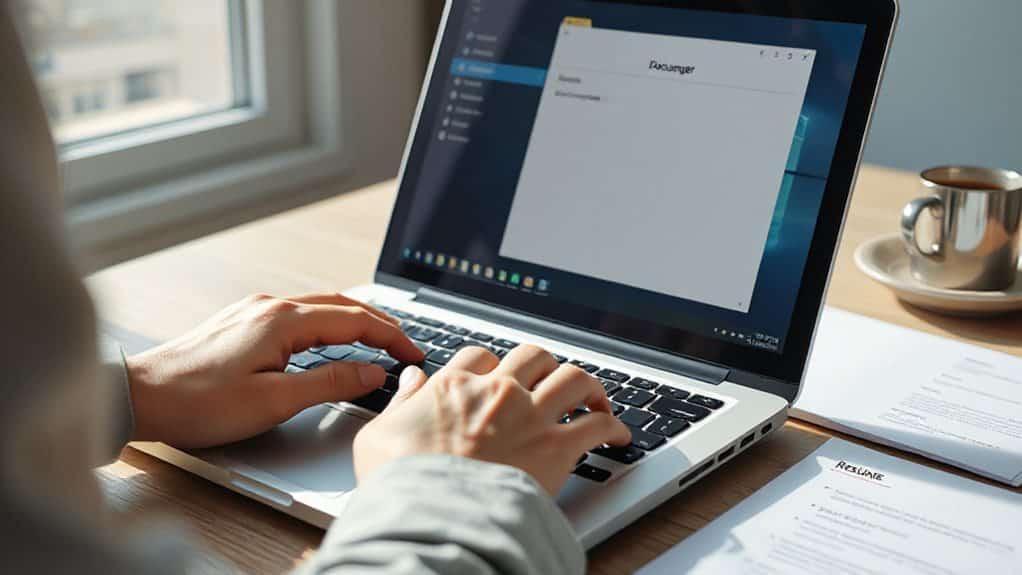
Where does your resume go once you’ve hit send, and how can you make sure it doesn’t vanish into a crowded inbox? Name your file strategically: start with your first and last name, add your job title, and include “resume” so recruiters recognize it instantly. Use hyphens or underscores between words, skip spaces and special characters, and keep it under 30 characters. You’ll help hiring managers organize applications efficiently, and you’ll demonstrate the attention to detail they’re seeking in candidates who truly want to serve their future teams well. Also ensure your resume follows ATS-compliant formatting to improve its chances of passing automated screening systems.
How to Convert Your Resume When Employers Ban PDFs
What happens when you’ve polished your resume to perfection, only to discover the job posting flat-out rejects PDF files? Don’t worry—you’ve got simple solutions. Convert your PDF to DOCX by opening it in Microsoft Word and selecting “Save As,” or upload it to Google Docs and export. If the employer prefers plain text, strip headers and special characters, then save as RTF or TXT. Always test your converted file with a free ATS checker, use standard fonts, and keep that original PDF handy for interviews. Also, remember that many employers use applicant tracking systems, so ensure your converted resume remains ATS-friendly to improve its chances.
Cover Letters and Portfolios: What to Attach With Your Resume

You’ll need to decide exactly what accompanies your resume in your application email, since sending incomplete materials or burying your cover letter in the wrong spot can hurt your chances before anyone reads your qualifications. Should you attach your cover letter as a separate file, paste it into the email body, or do both, and how do you make sure your portfolio actually gets noticed by busy recruiters who skim through dozens of applications daily? Getting these details right—placement, relevance, and completeness—shows you understand professional norms and respect the hiring manager’s time, which immediately sets you apart from candidates who treat attachments as an afterthought. Research the hiring manager’s name when possible to demonstrate attention to detail and personalize your submission with the correct salutation.
Cover Letter Placement
How should you position your cover letter when firing off that job application email? You can abbreviate it in the body while attaching the full version, or paste the complete letter directly into your email. Whichever you choose, place your contact information at the top, follow with your professional salutation, and keep your tone clear, concise, and genuinely focused on serving the employer’s needs.
Portfolio Relevance
When you’re applying for a creative or technical role, why let your resume speak alone when a well-crafted portfolio cover letter can amplify your story?
You demonstrate your commitment to growth while giving hiring managers a sample of your writing and a clear path to your work.
Place clickable links early, tailor projects to their needs, and you’ll show how your skills serve their mission.
Attachment Completeness
Why risk having your application overlooked because something’s missing? You’ll want to attach your cover letter alongside your resume, since most employers expect both documents together. If you’re applying for creative roles, don’t forget your portfolio samples too. Check the job description carefully for specific requirements, and always include your name on every file so nothing gets lost when hiring teams share your materials.
How to Test Your Attachments Before You Hit Send

Where exactly does your carefully crafted resume end up once you click send, and are you absolutely certain it arrives in perfect condition?
Send yourself a test email with your resume attached, then download it to verify the correct file opens properly.
You’ll see exactly how your message appears to recipients, ensuring everything functions perfectly before you submit to employers.
Subject Lines That Get Your Resume Attachment Opened First
You need to make sure your subject line immediately tells the hiring manager exactly what they’re receiving, so start by placing the specific job title front and center—wouldn’t you want to know which position someone is applying for before you even open their email?
If the posting includes a reference number, you’re smart to add it right after the job title, since this helps applicant tracking systems sort your message correctly and shows you’ve paid attention to details.
When you combine clear job title identification with any reference numbers provided, you create a professional, easy-to-scan subject line that stands out in a crowded inbox and gets your resume opened faster than vague or overly creative alternatives.
Job Title Clarity
How often have you sent a job application into the void, wondering if anyone even saw your carefully crafted resume? You’re serving hiring managers’ needs when you write “Marketing Manager Application—Jordan Smith” instead of something vague. Specific job titles in your subject line help busy recruiters instantly recognize relevant candidates, boosting your open rates significantly. Clear, direct language shows respect for their time and demonstrates your attention to detail from the very first impression they’ll receive.
Reference Number Inclusion
Why let your application disappear into a sea of 250 competing resumes when a single reference number could rescue it from the void? You serve recruiters by making their job easier, and a clear reference number in your subject line helps them surface your email amid overwhelming volume. Include it prominently, and you’ll demonstrate respect for their time while enhancing your visibility.
How to Write Your Email Body When Attaching Your Resume

Once you’ve crafted a compelling subject line and attached your resume, what comes next is the message that ties everything together—your email body isn’t just a delivery note, it’s your first conversation with a potential employer, and you’ll want to make every word count. Open by stating the role, where you found it, and your strongest qualification in one punchy sentence. Follow with 2-3 bullets linking your achievements to their needs, keeping your total between 150-250 words. Close by inviting a call, thanking them, and signing with your full contact details—proofread twice, because serving others well starts with showing you care about every detail.
Sending More Than Two Files? Here’s the Attachment Order That Actually Gets Read
What happens when you’ve got more than just your resume and cover letter to share—perhaps a portfolio, reference list, or certification files—and you’re worried about overwhelming the hiring manager before they even open your email?
You lead with your resume first, so they see your qualifications immediately. Then you add your cover letter second, and you place supporting documents third. You keep your total attachments between three and five, and you always include your name in every filename for easy identification. You cap file sizes under 10MB, and you test everything before sending.
And Finally
You’ve got everything you need to send a resume attachment that actually gets opened, haven’t you? Double-check your file format, test those links, and craft a subject line that demands attention. When you hit send with confidence, knowing you’ve followed every step, that interview invitation becomes far more likely. So what are you waiting for? Your next opportunity is just one well-structured email away, and now you’re fully prepared to seize it.